
Meta Pixel not firing? Check the request first
Checked against Google, Meta and TikTok documentation on
Open the Network tab, filter for tr and reload. If no request to facebook.com/tr leaves the page, the pixel is not firing, whatever the installer says. The six checks below run from the fastest to rule out to the slowest.

Six checks, fastest first
The order is about effort. The first two take a minute and rule out your own machine, so do them before touching any code.
- Try a clean browser profile. Ad blockers and strict privacy settings can block requests to
facebook.com/tr. That affects your visitors too, not only your test, which is one reason a pixel can report fewer events than you expect. - Look for the request. Network tab, filter
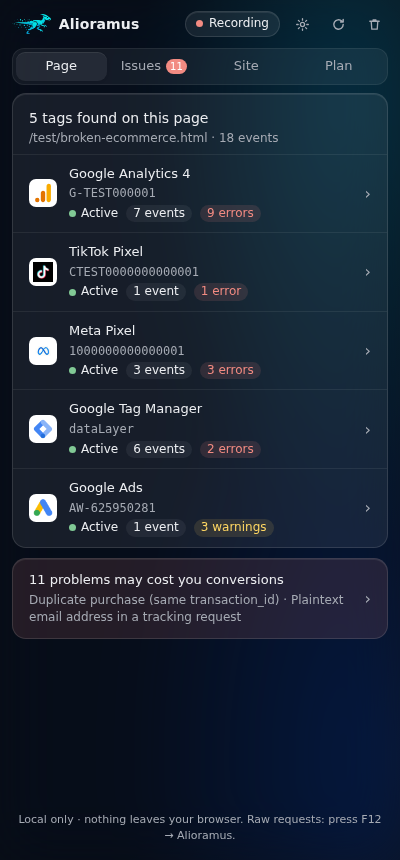
tr. In Alioramus the icon counts the tags a page sent and turns red on an error, and a pixel that loaded but sent nothing shows as Meta Pixel loaded, 0 events sent. - Accept the consent banner and reload. Depending on how the consent tool is set up, it can hold the script until the visitor accepts. If the pixel appears after acceptance, the tool is behaving; the question is whether the default state loads first (how to check that order).
- Count the installs. A theme, a plugin and Tag Manager can each load the same pixel, which can send events twice. Keep one.
- Check the trigger. The event may watch a button that is not the real one, or the page after checkout may be a redirect that never loads your code. On hosted checkouts the platform often decides what runs there, so look at its own pixel or customer-events settings.
- Compare the pixel ID. Open a
facebook.com/trrequest and read theidparameter. It has to match the pixel in Events Manager, and that pixel has to belong to the business account you are looking at.
Test Events shows only server events
If Test Events lists Conversions API events but no browser events, either the pixel in the browser is not sending or its events are not reaching Meta. Server events never pass through the visitor's browser, so a debugger on the page cannot see them either. Fix the browser half first, then check that both halves carry the same event ID: Meta event ID matching explains how.
It fires now: three things to check
A firing pixel can still send bad data. Look at the purchase itself: does it go out once (two senders on one order), does it carry a value with a currency (the currency rule), and are customer details hashed (emails in requests)?
Questions people ask
Why does Meta say my pixel is not detected when it is installed?
If consent, a blocker or a wrong trigger stops the script, tools such as the Meta extension and Events Manager may not see the pixel. Look for the request to facebook.com/tr to find out which of the three it is.
Do ad blockers affect my visitors or only my testing?
Both. A blocker on a visitor's browser can stop the same request, so a pixel can undercount even when it works for you.
Does Meta Pixel Helper still exist?
Meta renamed it Meta Ads Data Advisor. Existing installs update in place. See the <a href="/guides/meta-pixel-helper-alternatives">comparison of tools</a>.